Loading Portfolio...

Grocery Delivery Mobile App

ALL IN ONES Grocery Delivery Mobile App

A modern grocery delivery mobile app designed to make everyday shopping fast, simple, and convenient. The interface focuses on quick product discovery, intuitive navigation, smooth cart interactions, and a seamless checkout experience, complemented by engaging UI animations that enhance usability and user engagement.
Royal Sofa Homepage

Project Overview

ALL IN ONES is a modern quick commerce mobile application designed to make grocery shopping fast, simple, and enjoyable. The app allows users to browse multiple product categories, discover discounts, manage their cart, and complete purchases with minimal effort. The primary goal was to reduce friction throughout the shopping journey by keeping important actions easily accessible while maintaining a clean and visually engaging interface. Rather than focusing only on groceries, the application supports multiple shopping categories including fresh produce, kitchen essentials, snacks, beverages, and household products, creating an all-in-one shopping experience.

Project Information

Project Role

UI/UX Design

Category

Quick Commerce Mobile App

Tools

Figma

Platform

Mobile Application (iOS & Android)

Design Challenge

Quick commerce apps need to present hundreds of products while keeping the interface simple enough for users to shop quickly. The challenge was to design an application that: Makes products easy to discover. Reduces the number of taps required to purchase. Keeps the shopping cart accessible at all times. Simplifies quantity management. Encourages faster checkout. Maintains a visually clean shopping experience.

User Experience Design Goals

Product Discovery

Discover products quickly.

Easy Browsing

Browse categories effortlessly.

Product Comparison

Compare products easily.

Quick Add

Add items with fewer taps.

Accessible Cart

Keep the cart accessible throughout shopping.

Smooth Checkout

Complete checkout smoothly.

Micro-interactions

Enjoy engaging micro-interactions.

Design Process

01

Research & Requirement Understanding

Identified user needs, shopping behavior, and quick commerce requirements to create a fast and convenient grocery shopping experience.

02

Information Architecture

Organized product categories, search, and navigation to help users find groceries quickly with minimal effort.

03

UI Design

Designed a clean, modern interface with clear product presentation, intuitive layouts, and visually engaging shopping interactions.

04

Interactive Prototype

Built interactive user flows to validate browsing, product selection, cart interactions, and the checkout experience.

05

User-Focused Shopping Experience

Refined the complete shopping journey to help users discover products quickly, add items effortlessly, and complete checkout with a smooth and engaging experience.
Design Approach

The interface follows a clean, colorful, and modern design language inspired by fresh groceries and fast delivery services. Each screen is intentionally organized to reduce visual clutter while helping users move naturally from product discovery to checkout.

Clean Visual Hierarchy

Clean visual hierarchy

Large Product Imagery

Large product imagery

Comfortable Spacing

Comfortable spacing

Easy Navigation

Easy navigation

Clear Call-to-Action

Clear call-to-action buttons

Fast Shopping Experience

Fast shopping experience

Freshness Through Color

The interface uses warm orange gradients combined with soft cream backgrounds to create a fresh, energetic, and welcoming shopping experience.

Orange represents speed, freshness, and excitement while reinforcing the app's promise of quick delivery. White and cream backgrounds improve readability and allow product images to stand out clearly throughout the interface.

Primary Gradient

#EF734D → #FFCDA4

Soft Cream

#FAEBE3

App Experience

The application is designed to guide users from browsing products to completing their purchase with minimal effort.

Every screen is carefully structured to keep essential actions easily accessible, allowing users to discover products, manage their cart, and complete checkout through a simple and intuitive shopping flow.

By combining clean layouts, clear navigation, engaging product presentation, and smooth interactions, the experience remains fast, convenient, and enjoyable from start to finish.

Home Screen

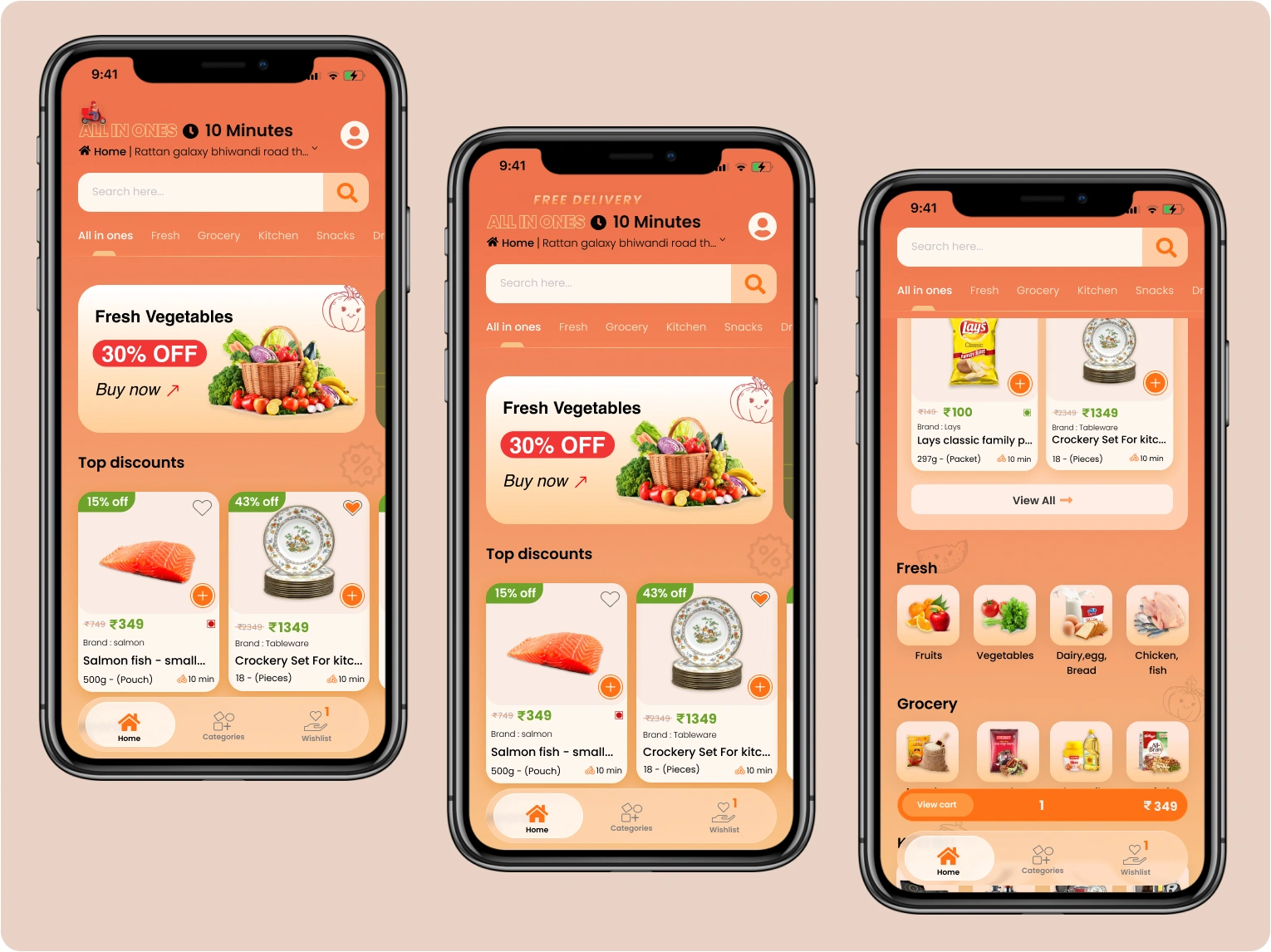
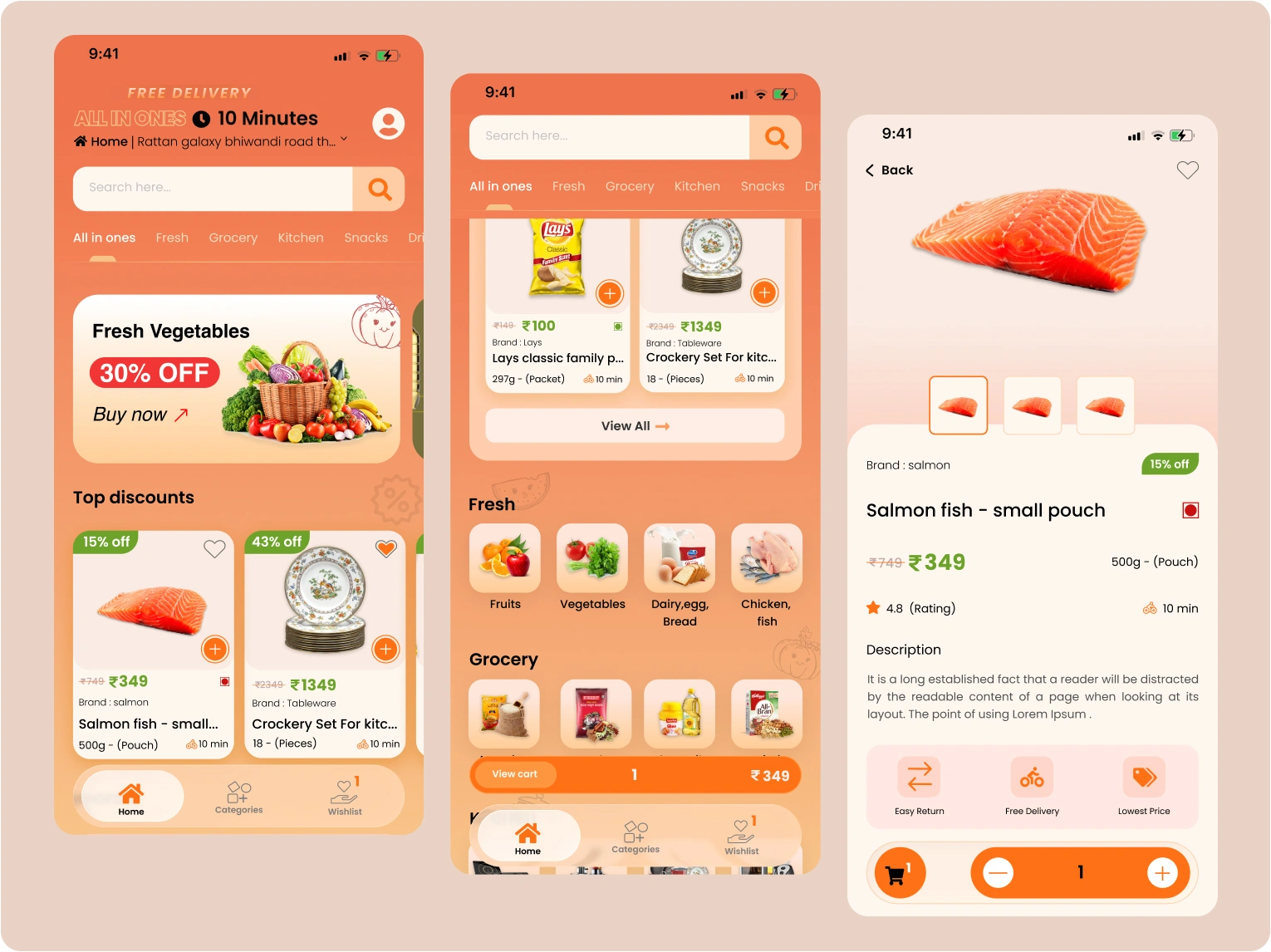
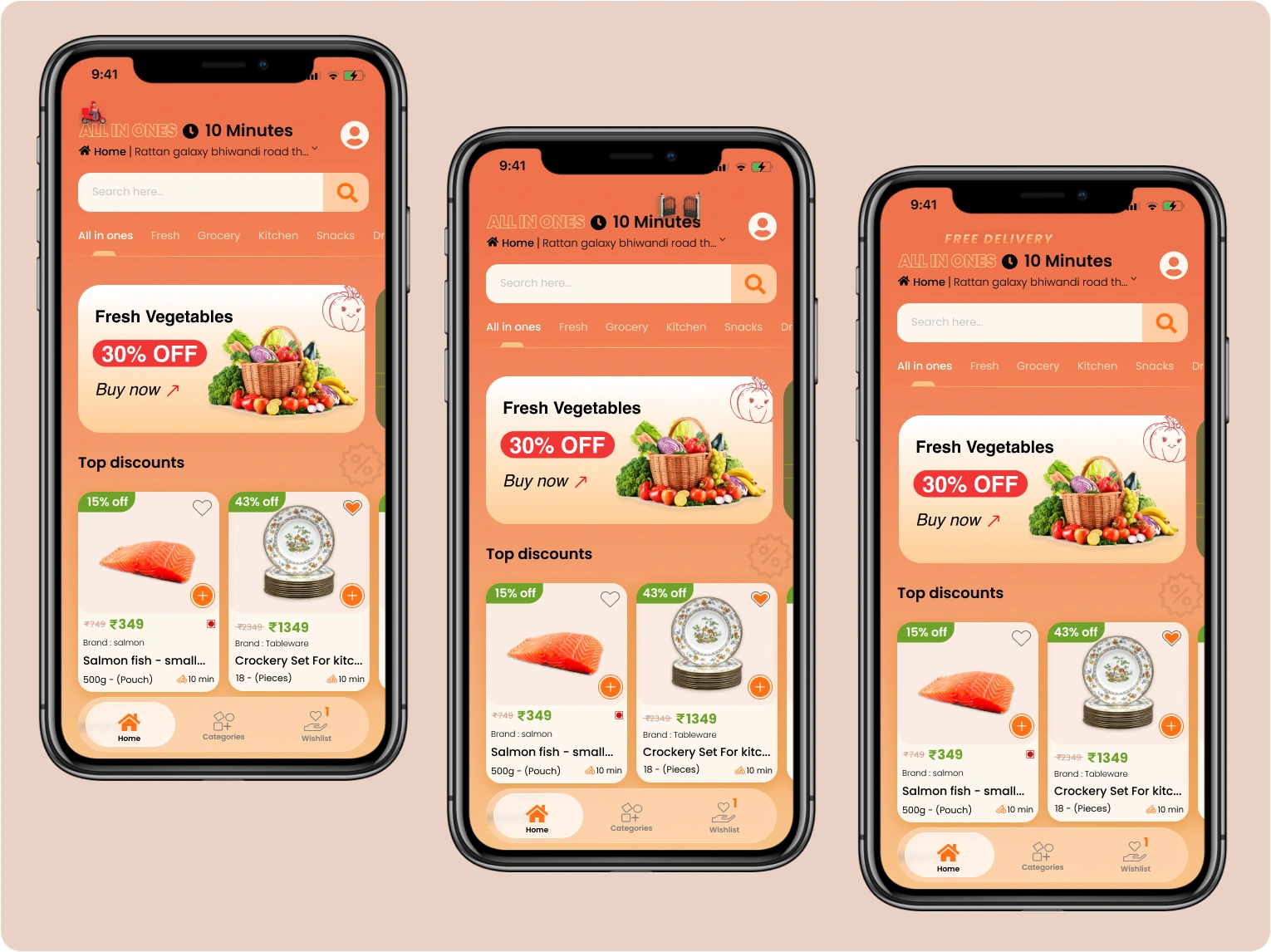
The home screen immediately communicates the 10-minute delivery promise, delivery location, search functionality, product categories, promotional offers, and featured discounts.

Instead of overwhelming users with products, promotional banners and category shortcuts are placed strategically to help users begin shopping immediately.

Home Screen
Category Browsing

Category Browsing

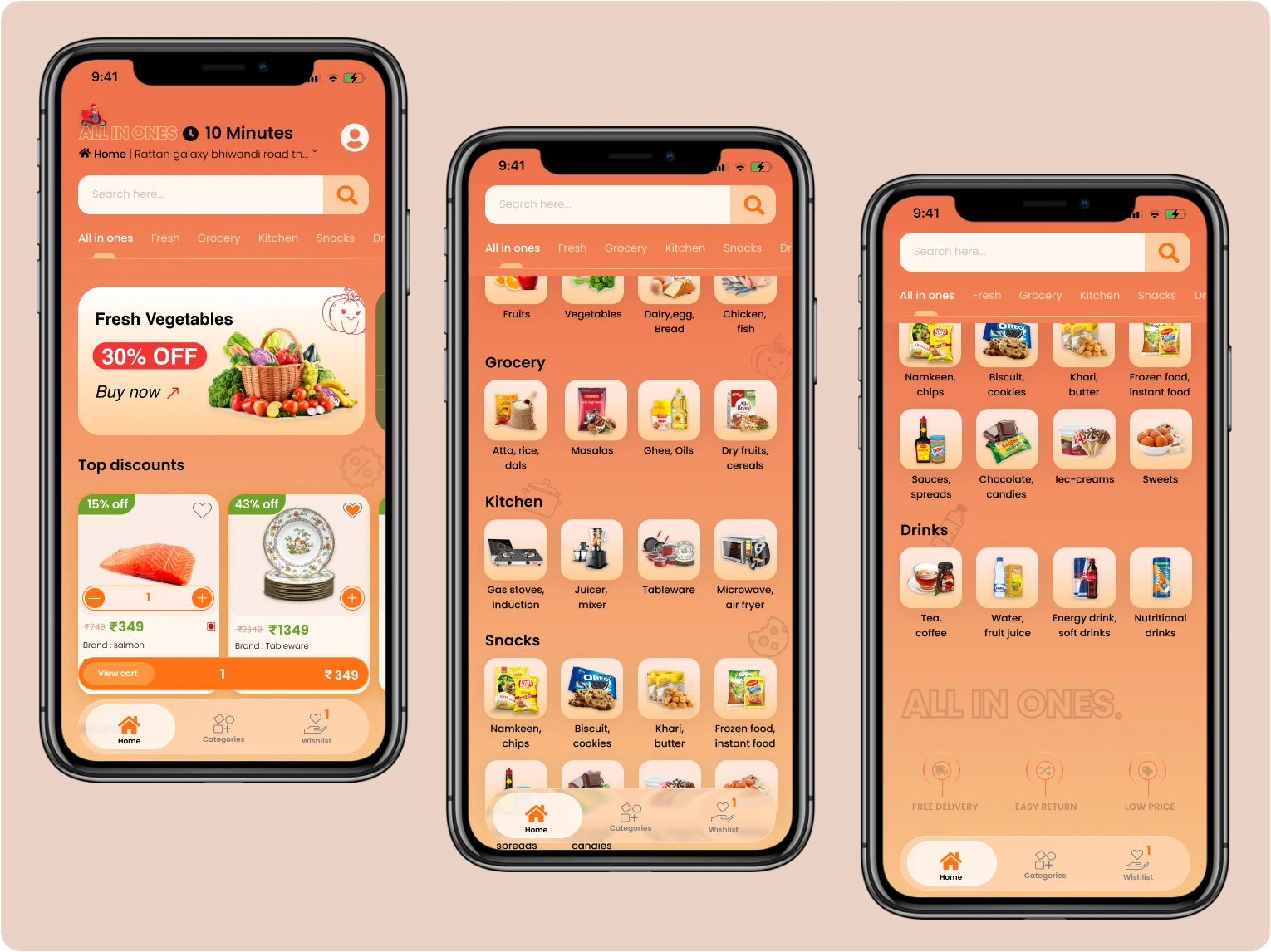
Products are organized into multiple categories including Fresh, Grocery, Kitchen, Snacks, and Drinks.

This structure helps users locate products quickly while reducing unnecessary scrolling.

Product Listing

Each product card provides all essential information at a glance, including product image, discount, price, brand, product size, estimated delivery time, wishlist option, and a quick add-to-cart button.

This allows users to compare products without opening every product page.

Product Listing
Product Details

Product Details

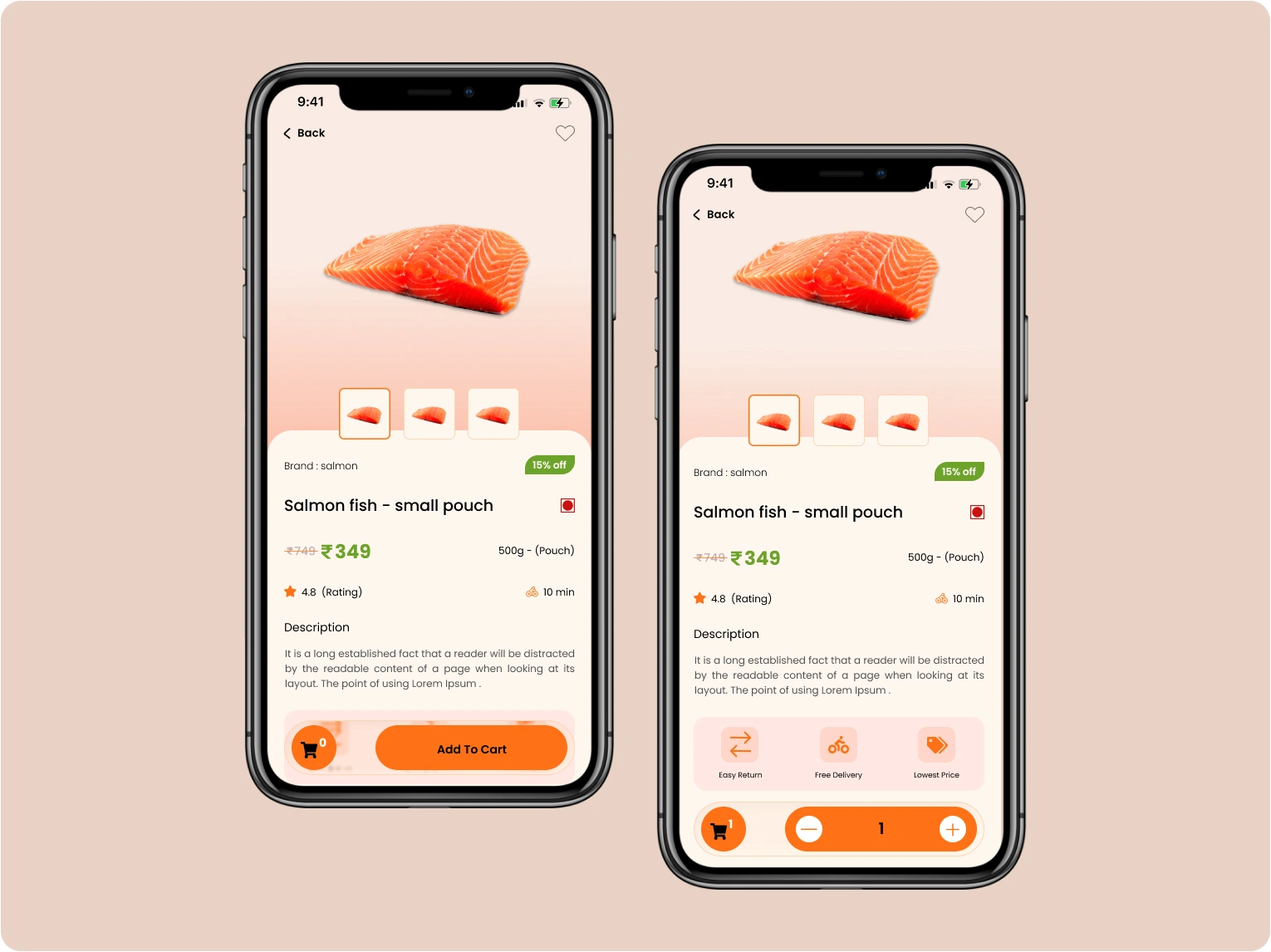
The product page is designed to provide more confidence before adding an item to the cart.

Users can view larger product images, browse multiple product previews, read product descriptions, check ratings, view pricing and discounts, select product quantity, and add products directly to the cart.

The interface keeps important information visible without overwhelming users with unnecessary details.

Cart Experience

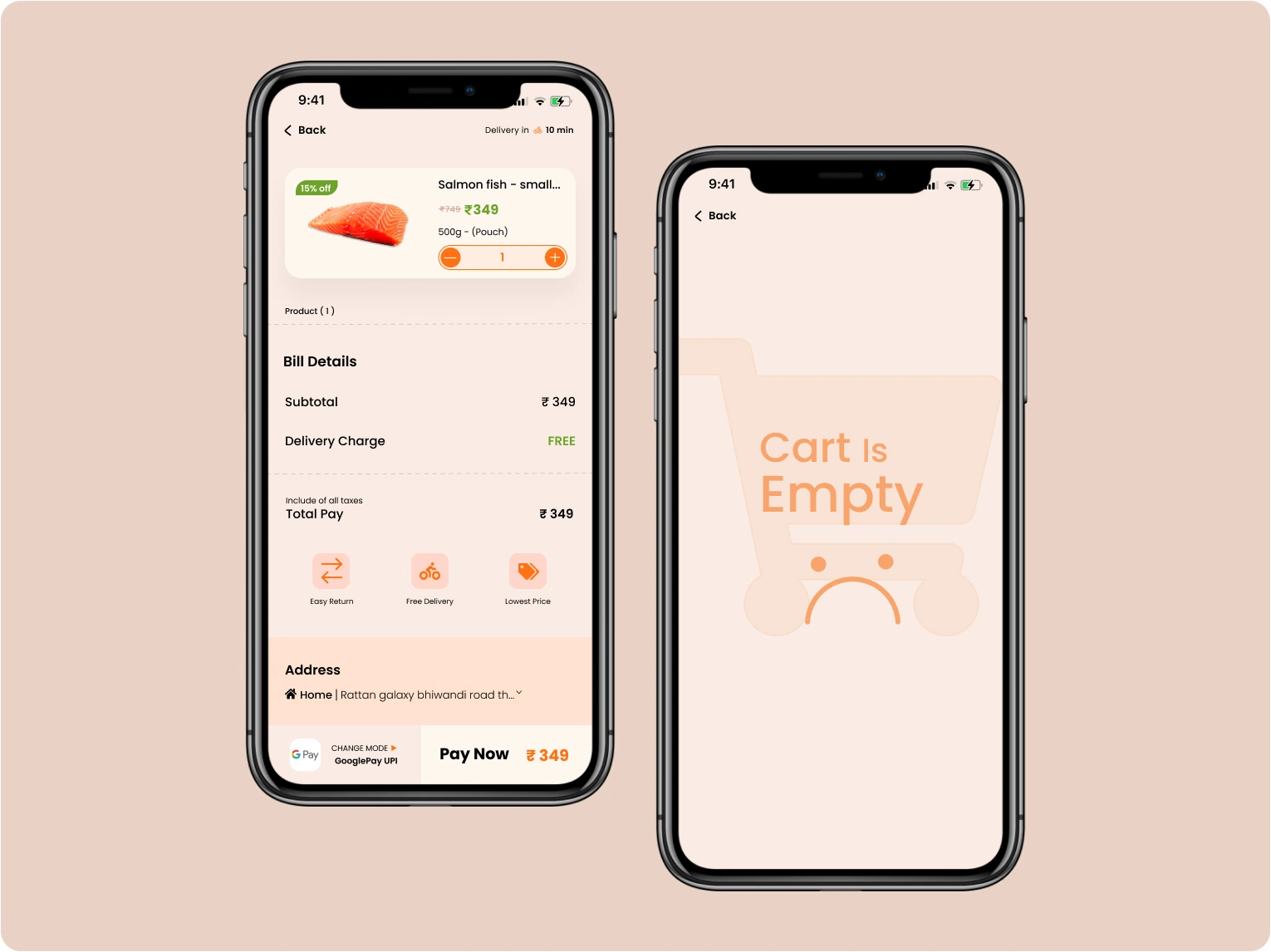
The cart screen allows users to manage their order effortlessly.

Users can increase or decrease quantities, review selected products, view subtotal, check delivery charges, view total payment, confirm the delivery address, select a payment method, and complete checkout.

The app also includes an empty cart state to provide clear feedback whenever no products have been added.

Cart Experience
UI Animation

UI Animation

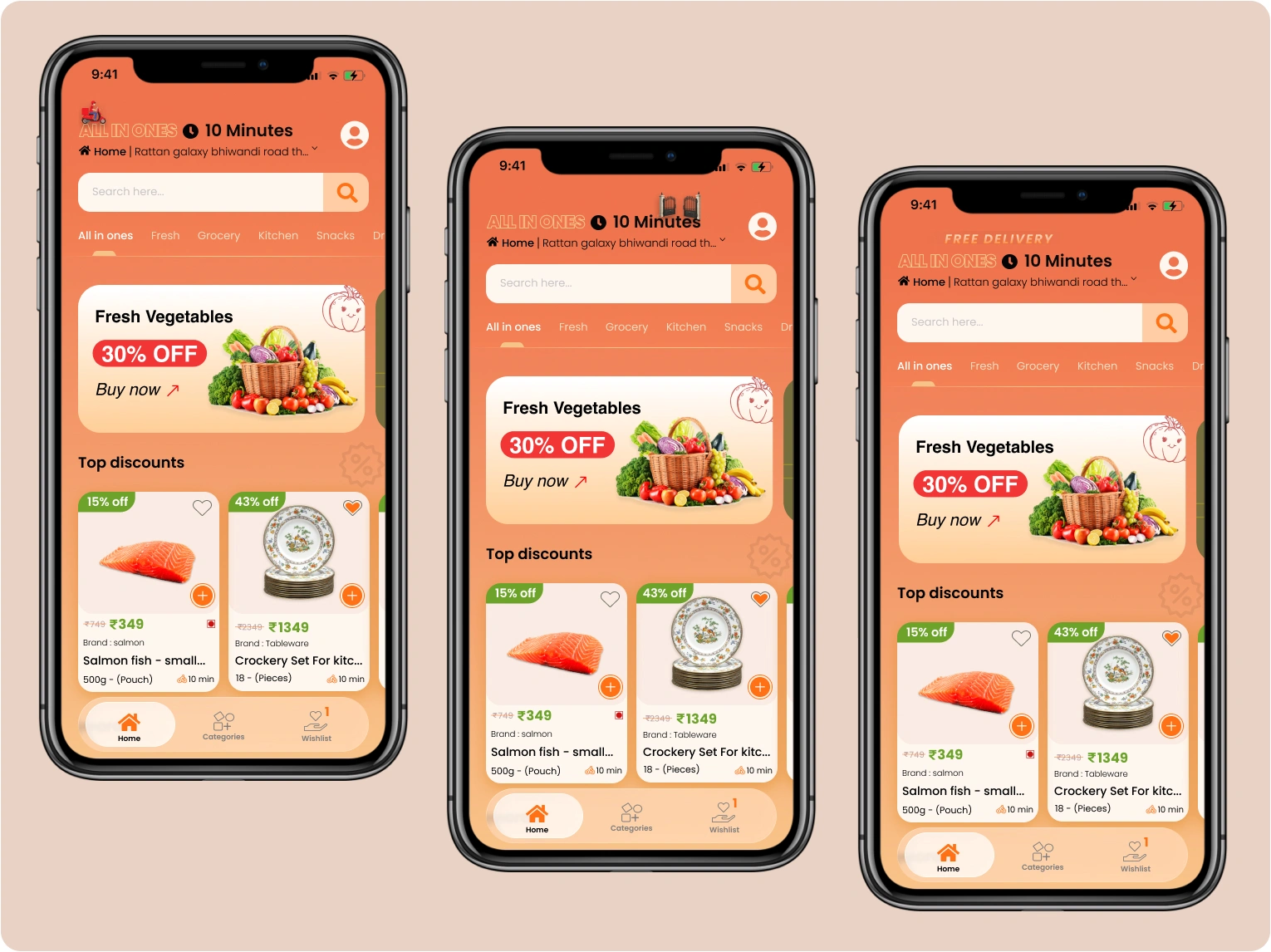
The application includes subtle UI animations to create a more engaging shopping experience without distracting users.

One example is the delivery animation displayed at the top of the home screen, where a delivery bike moves across the interface and reveals the "Free Delivery" message after passing through the entry point.

These small interactions improve the overall user experience while reinforcing the app's fast-delivery branding.

Conversion Strategy

The application is designed to reduce friction throughout the shopping journey by keeping important actions accessible at every stage.

Instead of requiring users to navigate back and forth between screens, interactions such as adding products, updating quantities, and accessing the cart are streamlined through quick actions and a floating cart summary.

This approach minimizes interruptions, encourages faster checkout, and creates a smoother shopping experience from product discovery to payment.

Design Highlights

Grocery Interface

Modern grocery shopping interface.

Multi-Category

Multi-category shopping experience.

Sticky Navigation

Sticky category navigation.

Product Cards

Interactive product cards.

Wishlist

Wishlist functionality.

Floating Cart

Floating cart summary.

Product Gallery

Product image gallery.

Quantity Control

Quantity selector.

Empty Cart

Empty cart state.

Checkout Flow

Quick checkout workflow.

UI Animations

Subtle UI animations.

Responsive Design

Responsive mobile design.

Final Outcome

The final design delivers a modern and user-friendly grocery shopping experience that balances speed, usability, and visual appeal.

By combining intuitive navigation, engaging product presentation, floating cart interactions, and thoughtful micro-animations, the application creates a seamless shopping journey that helps users discover products, manage their cart, and complete purchases with minimal effort.

Real Estate App

Mobile App UI
A property browsing experience designed to help users discover listings through a clean interface and intuitive search flow.

View Case Study