Loading Portfolio...

Real Estate Mobile App

Real Estate Property Finder Mobile App

Real Estate Property Finder Mobile App A modern real estate mobile app designed to simplify property discovery through intuitive search, detailed property listings, and a seamless property booking experience with a clean and user-friendly interface.
Royal Sofa Homepage

Project Overview

This project is a modern real estate mobile application designed to help users discover, explore, and book property visits through a clean and intuitive experience. The primary goal was to simplify the property search journey by presenting essential information in a structured manner while reducing unnecessary complexity during decision-making. From searching properties to viewing detailed information and booking a property visit, every interaction is designed to feel quick, organized, and effortless.

Project Information

Project Role

UI/UX Design

Category

Real Estate Mobile App

Tools

Figma

Platform

Mobile Application

Design Challenge

Searching for a property often becomes overwhelming because users have to browse through large amounts of information before finding the right option. The challenge was to design an application that: Makes property discovery simple. Displays important information clearly. Helps users compare properties quickly. Builds confidence before scheduling a visit. Reduces unnecessary navigation. Creates a smooth browsing experience.

User Experience Design Goals

Property Discovery

Discover properties effortlessly.

Listing Comparison

Compare listings quickly.

Property Details

View complete property information.

Build Confidence

Build confidence before booking.

Easy Navigation

Navigate without confusion.

Visit Scheduling

Schedule visits with minimal effort.

Design Process

01

Research & Requirement Understanding

Identified user needs, business goals, and property search behavior to create a seamless real estate browsing experience.

02

Information Architecture

Structured property categories, search filters, and navigation to help users discover listings quickly and efficiently.

03

UI Design

Designed a clean and modern interface with clear property presentation, intuitive layouts, and visually engaging listing cards.

04

Interactive Prototype

Built interactive user flows to validate property browsing, search interactions, and appointment scheduling.

05

Property Discovery Experience

Refined the complete property discovery journey to help users explore listings effortlessly, compare options confidently, and schedule visits with minimal effort.
Design Approach

The interface follows a clean, spacious, and modern design language. Each screen is designed to reduce visual clutter while presenting only the most relevant information at every stage of the user's journey.

Clean Visual Hierarchy

Clean visual hierarchy

Easy Navigation

Easy navigation

Comfortable Spacing

Comfortable spacing

Large Property Imagery

Large property imagery

Clear Typography

Clear typography

Simple User Interactions

Simple user interactions

Trust Through Color

The interface primarily uses light blue combined with white backgrounds to create a clean, welcoming, and professional browsing experience.

Blue was selected because it represents trust, stability, reliability, professionalism, and confidence. The soft color palette creates a calm browsing experience while allowing the property images to remain the primary visual focus.

Primary Blue

#71C5DF

Soft Background

#E6F6FF

App Experience

The application is designed to guide users smoothly from searching properties to exploring detailed information and finally booking a property visit.

Every screen reduces unnecessary complexity, allowing users to focus on comparing properties and making informed decisions with minimal effort.

By combining intuitive navigation, organized property information, and a clean visual layout, the experience remains simple, engaging, and efficient throughout the entire property discovery journey.

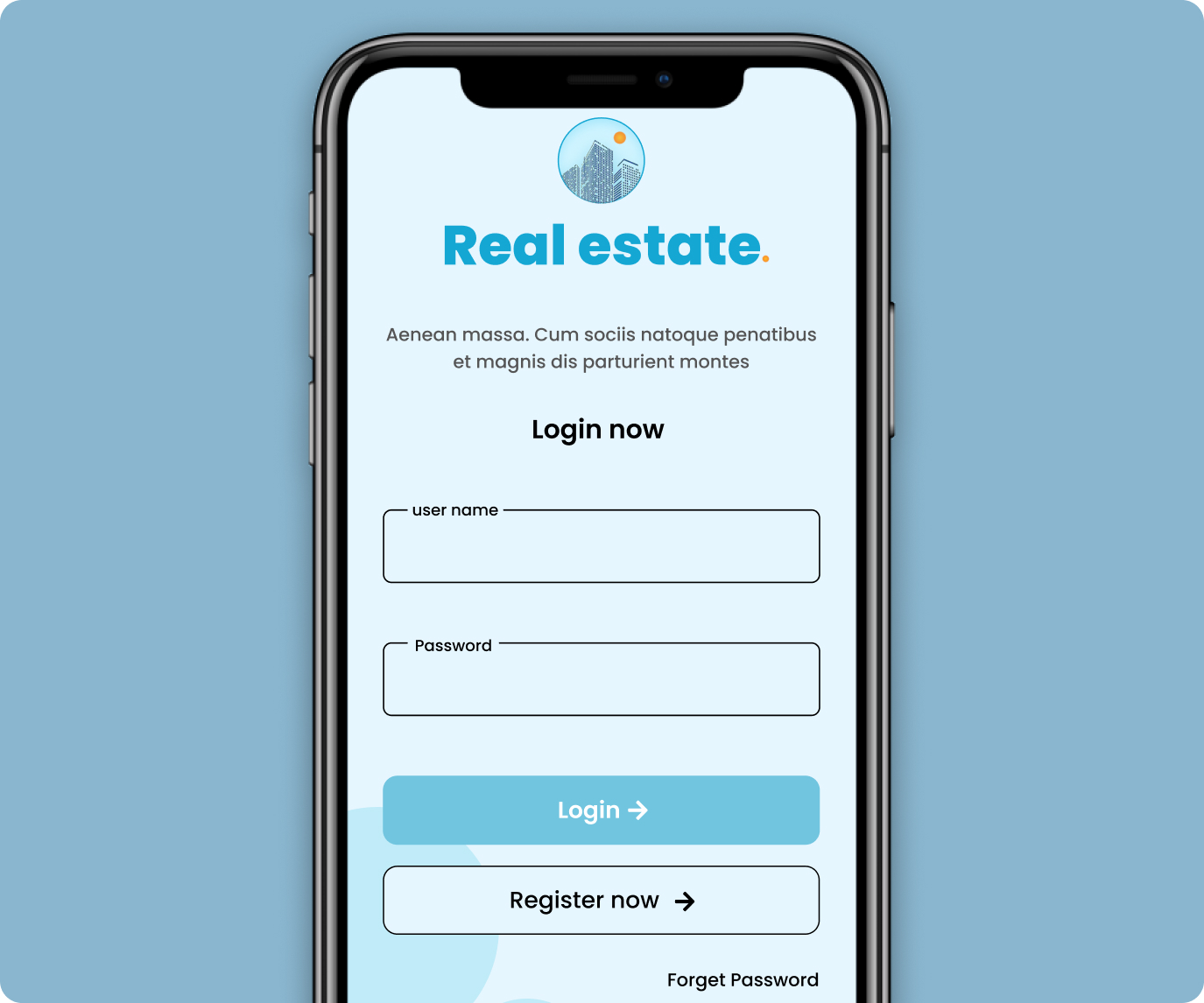
Login Experience

The onboarding screen introduces the application with a clean and distraction-free interface.

Users can securely log in, register a new account, and recover forgotten passwords through a simple authentication flow.

The streamlined layout helps users access the application quickly without unnecessary steps.

Login Experience
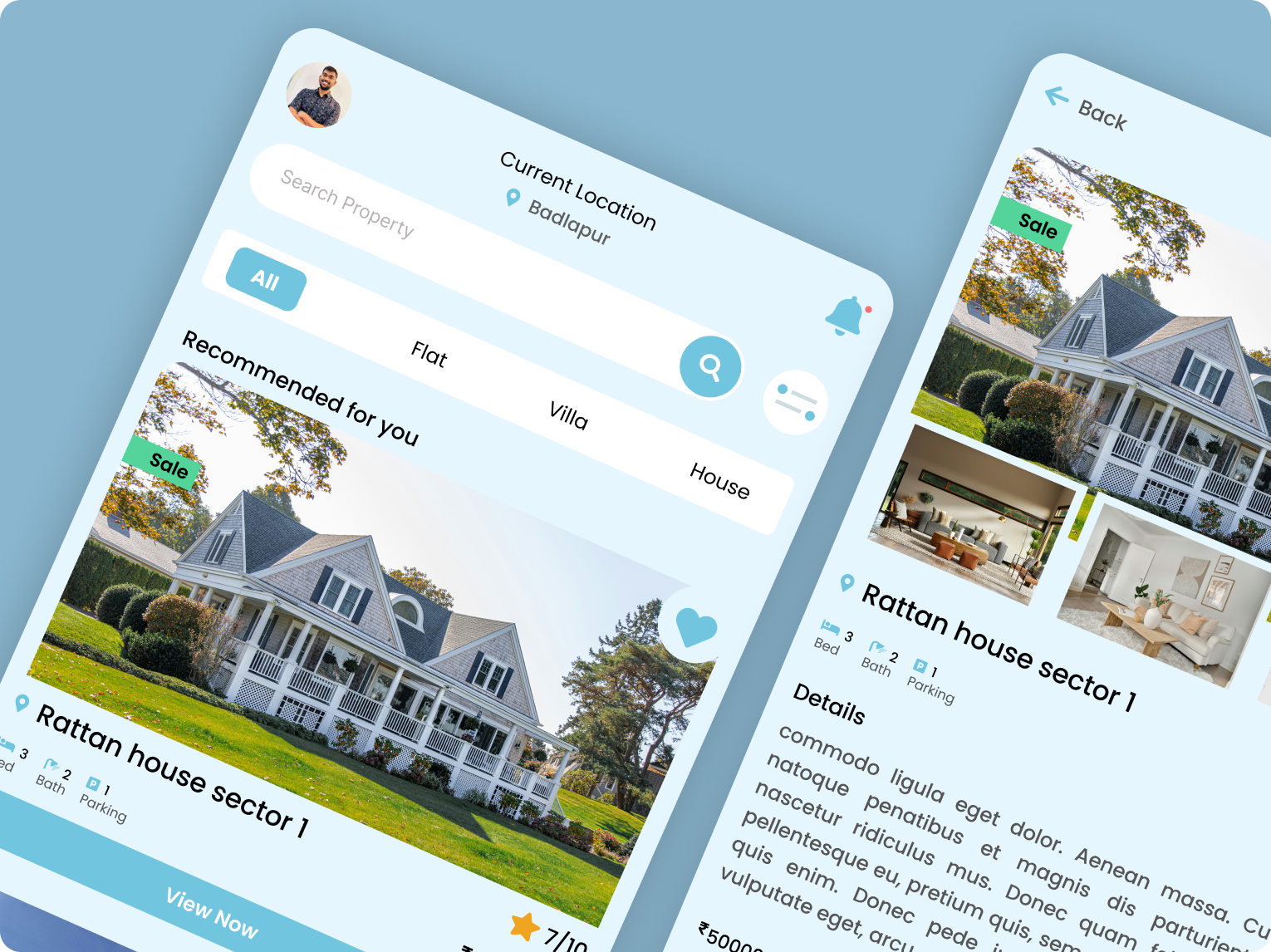
Home Screen

Home Screen

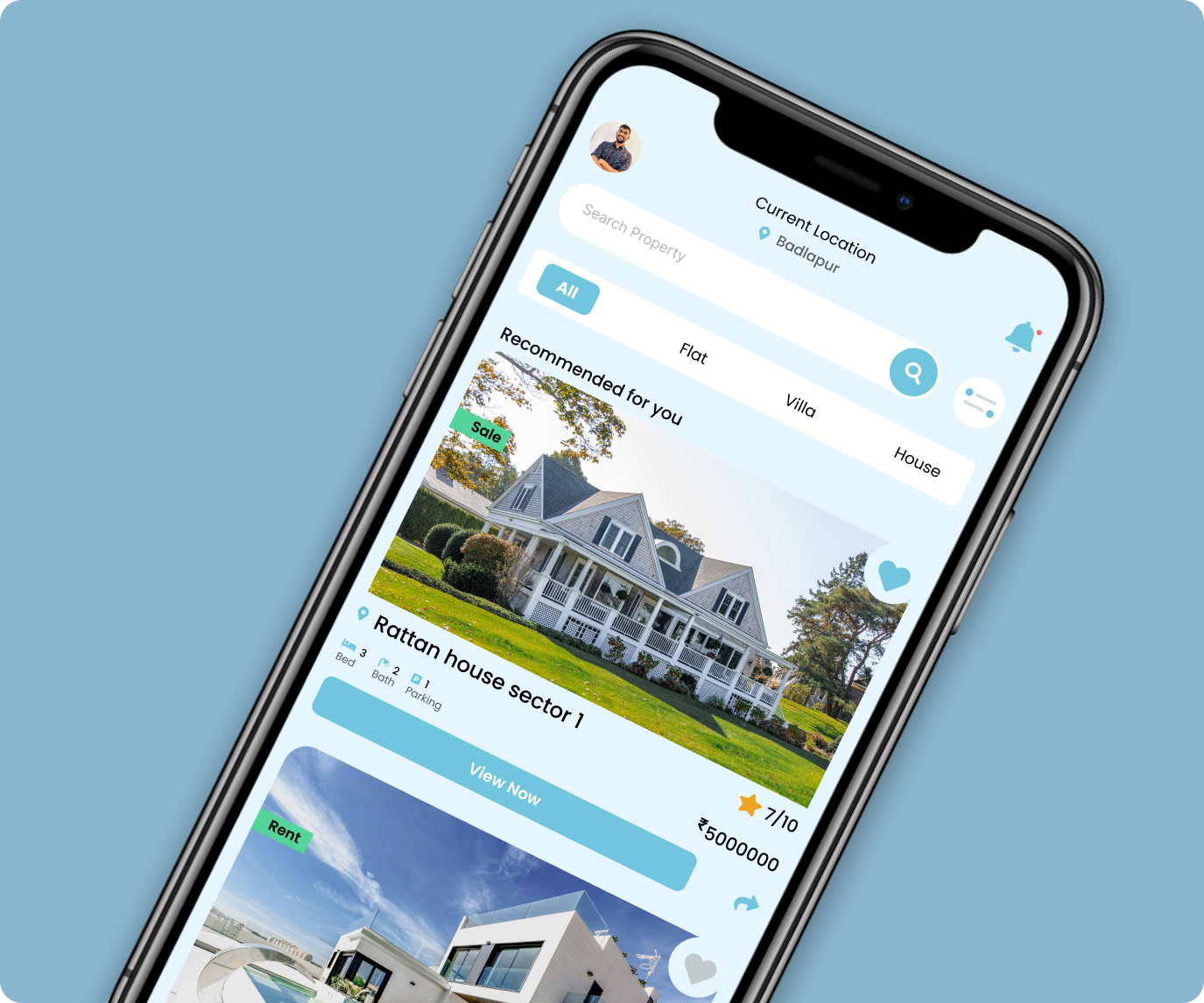
The home screen provides everything users need to begin their property search.

It includes the current location, property search bar, property type filters, recommended properties, property cards, wishlist shortcut, property ratings, and price overview.

Large property images immediately attract attention while important details remain easily accessible.

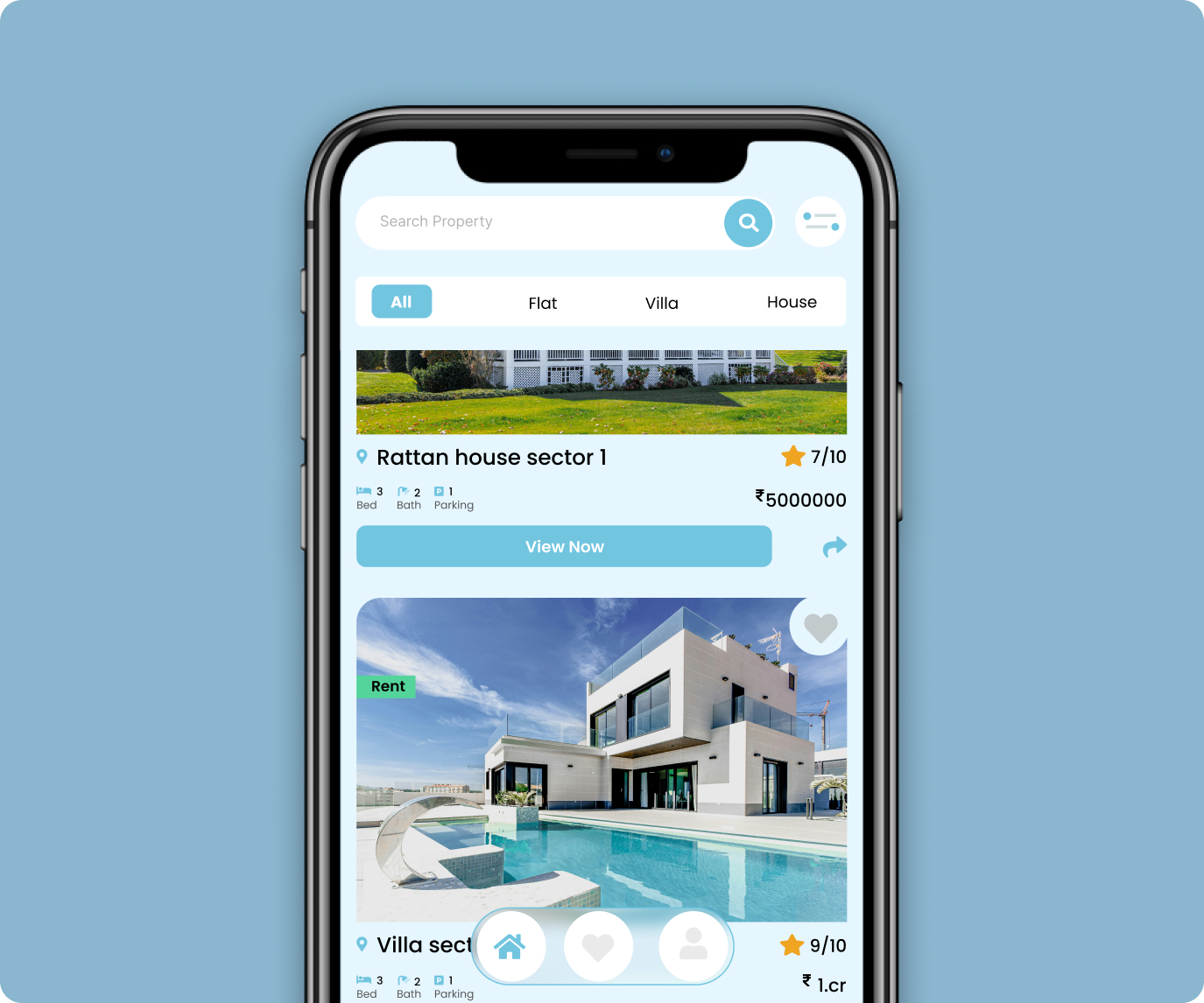
Property Listing

Each property card is designed to help users compare listings quickly without opening every property individually.

Users can instantly view the property image, sale or rent status, location, price, rating, bedrooms, bathrooms, and parking availability.

A dedicated View Now button encourages users to explore complete property details.

Property Listing
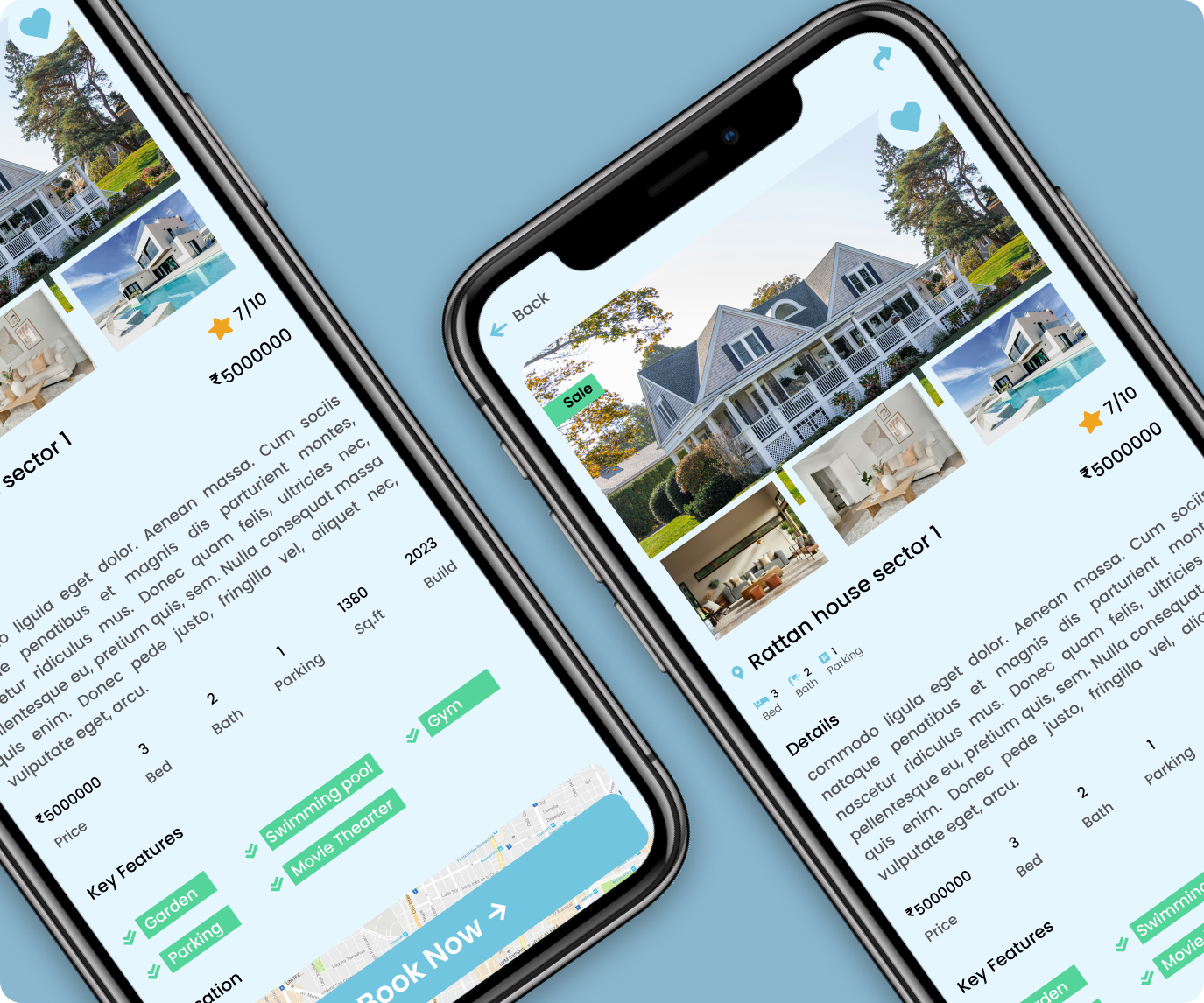
Property Details

Property Details

The property details page provides all the information users typically need before scheduling a visit.

Users can explore multiple property images, detailed descriptions, pricing, ratings, property specifications, key amenities, and the property location map.

Presenting all essential information on one screen reduces uncertainty and helps users make confident decisions.

Conversion Strategy

Instead of overwhelming users with excessive information, the application prioritizes only the details that influence purchasing decisions the most.

Large property visuals, pricing, ratings, key specifications, and a clear Book Now call-to-action are presented in a logical sequence, allowing users to move naturally from discovering a property to scheduling a visit with minimal friction.

This streamlined approach improves decision-making, reduces unnecessary navigation, and creates a smooth property discovery experience that encourages users to take the next step with confidence.

Design Highlights

Modern Interface

Clean modern interface.

Property Showcase

Large property showcase.

Smart Filters

Smart property filters.

Property Details

Property detail experience.

Wishlist

Wishlist support.

Image Gallery

Interactive image gallery.

Location Browsing

Location-based browsing.

Specifications

Property specifications.

Book Visit

Book Visit CTA.

Responsive Design

Responsive mobile interface.

Final Outcome

The final design delivers a clean, modern, and user-friendly real estate browsing experience that helps users search properties with confidence.

By combining intuitive navigation, organized property information, large visual previews, property specifications, and a simplified booking flow, the interface reduces decision fatigue and creates a seamless journey from property discovery to scheduling a visit.

Shipping & Logistics Website

Website Design
A professional corporate website designed to communicate logistics services with clarity, credibility, and modern visuals.

View Case Study