Loading Portfolio...

Food Delivery Mobile App

Modern Food Delivery Mobile App

Food Delivery Mobile App A modern food delivery mobile app designed to simplify food ordering through intuitive restaurant discovery, organized menu browsing, and a seamless checkout experience with a clean and user-friendly interface.
Royal Sofa Homepage

Project Overview

This project is a modern food delivery mobile application designed to help users discover restaurants, explore menus, and order food through a fast and intuitive experience. The primary goal was to simplify the food ordering journey by presenting restaurants, dishes, and checkout information in a clean and organized interface while reducing unnecessary steps before placing an order. From browsing nearby restaurants to reviewing the cart and completing payment, every interaction is designed to feel smooth, efficient, and user-friendly.

Project Information

Project Role

UI/UX Design

Category

Food Delivery Mobile App

Tools

Figma

Platform

Mobile Application

Design Challenge

Ordering food online can become frustrating when menus are cluttered, navigation is confusing, or checkout requires too many steps. The challenge was to design an application that: Makes food discovery simple. Displays restaurants and dishes clearly. Helps users browse menus quickly. Builds confidence before ordering. Reduces unnecessary navigation. Creates a fast ordering experience.

User Experience Design Goals

Restaurant Discovery

Discover restaurants effortlessly.

Menu Browsing

Browse menus quickly.

Food Details

View complete food details.

Order with Confidence

Order food with confidence.

Easy Navigation

Navigate without confusion.

Quick Checkout

Complete checkout with minimal effort.

Design Process

01

Research & Requirement Understanding

Identified user expectations, restaurant ordering behavior, and business requirements to create a fast, convenient, and enjoyable food delivery experience.

02

Information Architecture

Organized restaurants, food categories, menus, search, and navigation to help users discover meals quickly and order with minimal effort.

03

UI Design

Designed a clean and modern interface featuring appetizing food imagery, intuitive layouts, and clear ordering actions that simplify decision-making.

04

Interactive Prototype

Built interactive user flows to validate restaurant browsing, menu exploration, cart interactions, and the complete food ordering experience.

05

Food Ordering Experience

Refined the end-to-end ordering journey to help users discover restaurants, explore menus, place orders confidently, and complete checkout through a fast and seamless experience.
Design Approach

The interface follows a clean, modern, and food-focused design language. Each screen is designed to reduce visual clutter while presenting only the most relevant information at every stage of the ordering journey.

Clean Visual Hierarchy

Clean visual hierarchy

Easy Navigation

Easy navigation

Large Food Imagery

Large food imagery

Comfortable Spacing

Comfortable spacing

Clear Typography

Clear typography

Simple Ordering

Simple ordering interactions

Appetite Through Color

The application combines dark backgrounds with vibrant red accents to create a bold and appetizing visual experience.

The dark theme allows food photography to stand out while the red accent color naturally draws attention to important actions throughout the interface. The color palette represents energy, appetite, speed, confidence, and modernity.

Primary Red

#B81411

Dark Background

#181818

App Experience

The application is designed to guide users from discovering restaurants to exploring menus and completing their food order with minimal effort.

Every screen presents only the information users need at each stage, creating a fast, focused, and enjoyable ordering experience.

By combining intuitive navigation, appetizing food imagery, organized menu layouts, and streamlined ordering interactions, the experience remains simple, engaging, and efficient from restaurant discovery to successful checkout.

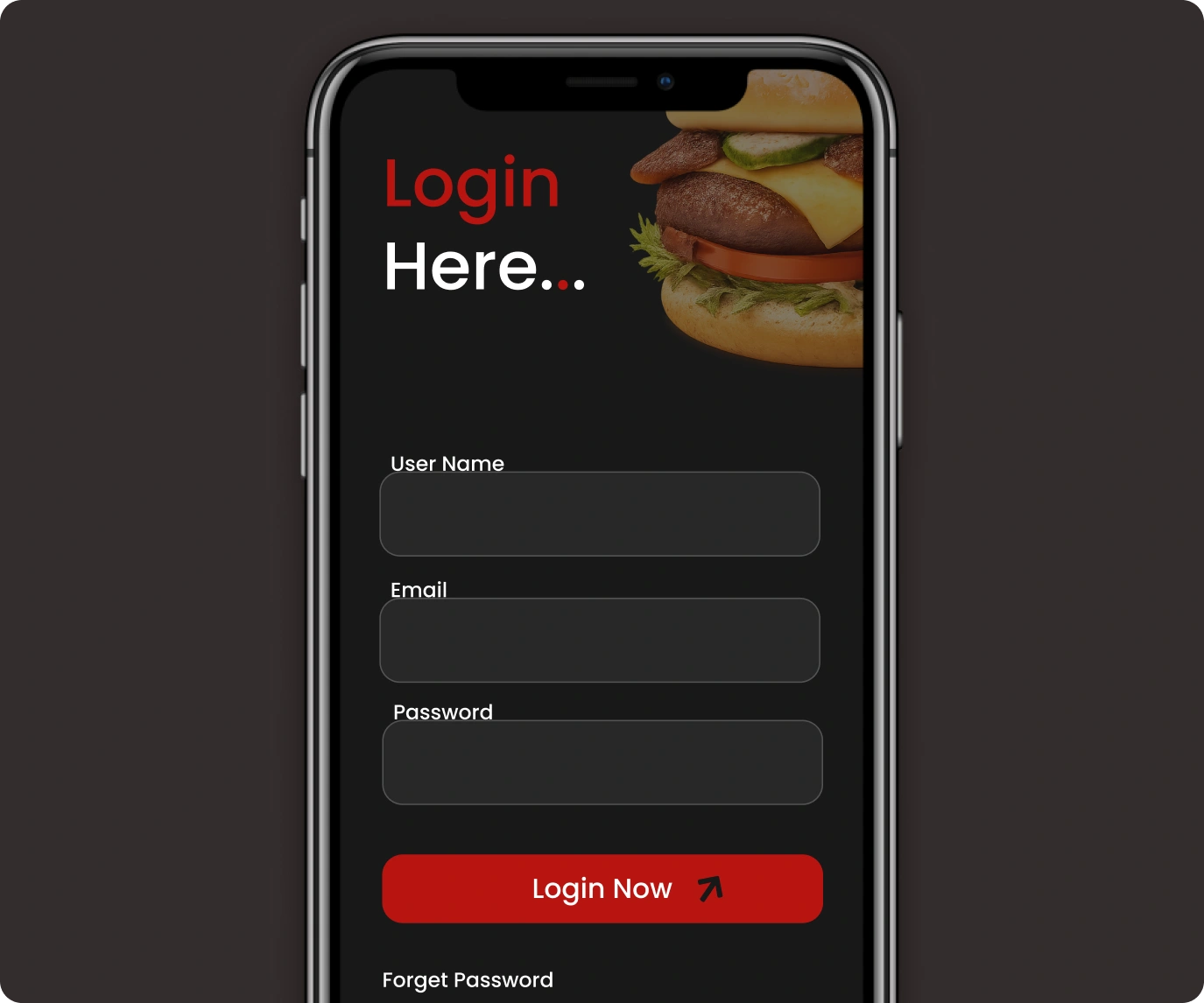
Login Experience

The login screen provides a clean and distraction-free entry into the application.

Users can securely log in, enter their account credentials, and recover forgotten passwords through a simple authentication flow.

The streamlined experience allows users to access the application quickly and begin ordering food without unnecessary complexity.

Login Experience
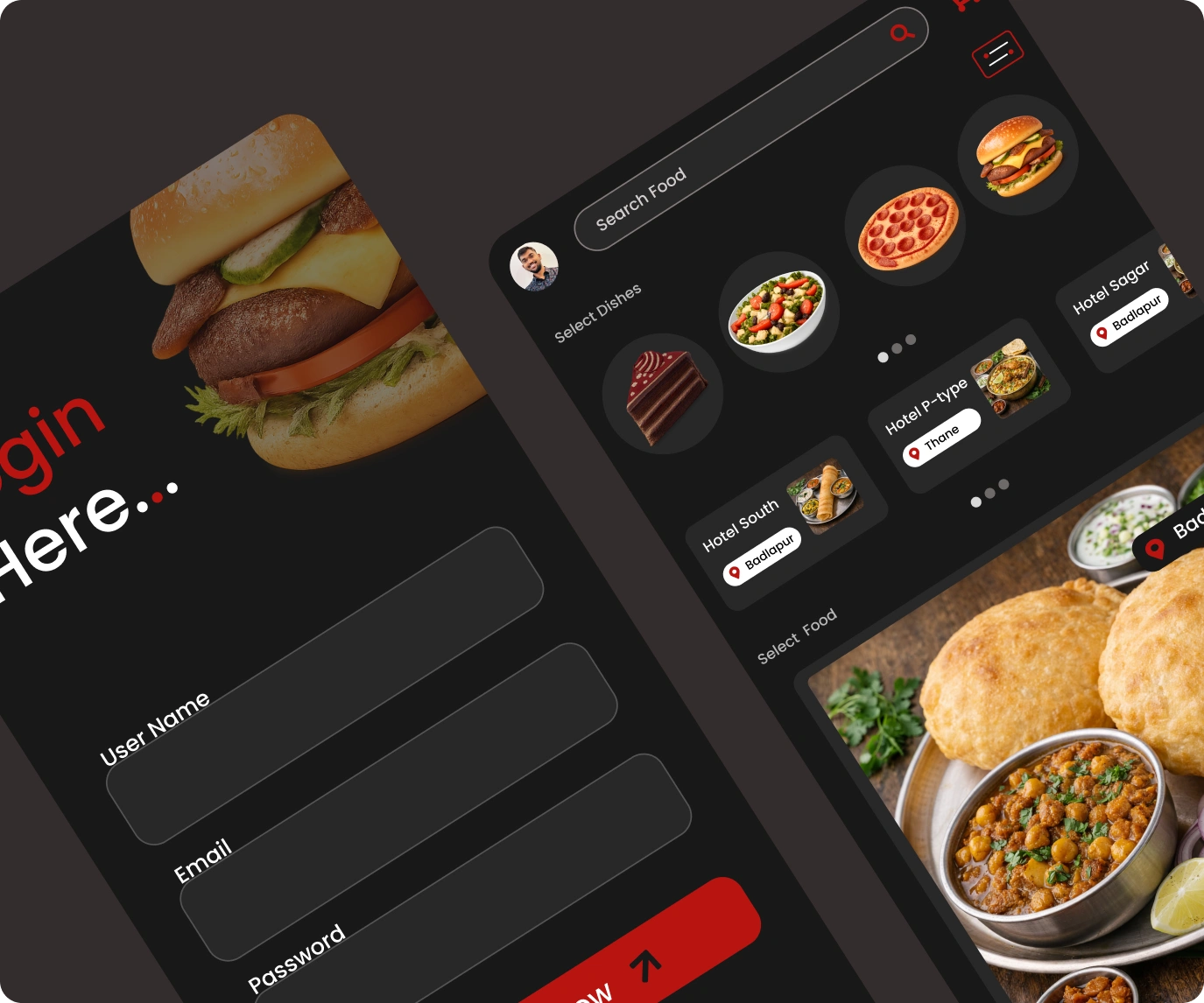
Home Screen

Home Screen

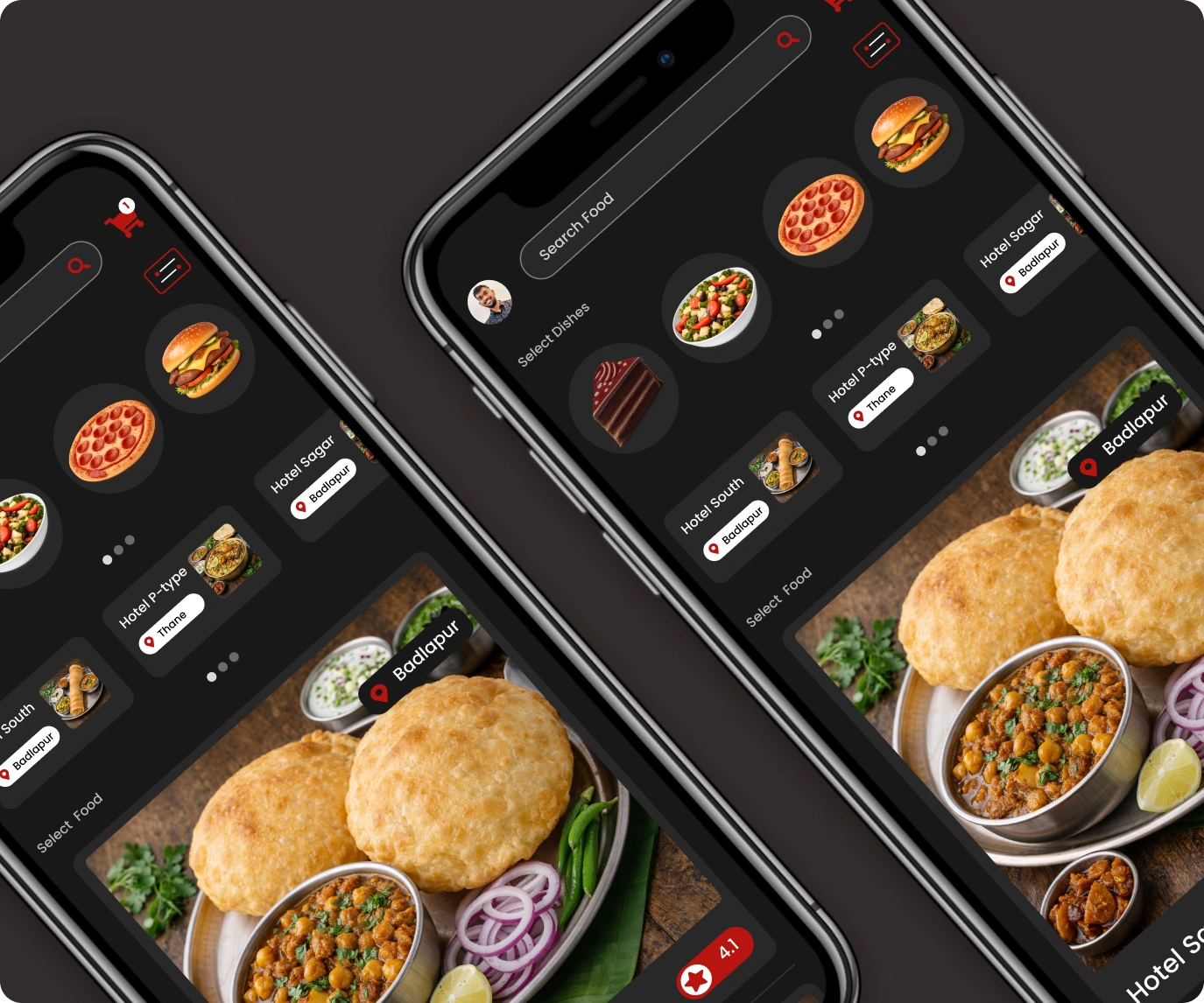
The home screen helps users discover restaurants and dishes through an organized and visually engaging interface.

It includes food search, food categories, nearby restaurants, featured dishes, restaurant cards, cart shortcut, ratings, and location information.

Large food images immediately capture attention while important details remain easy to scan.

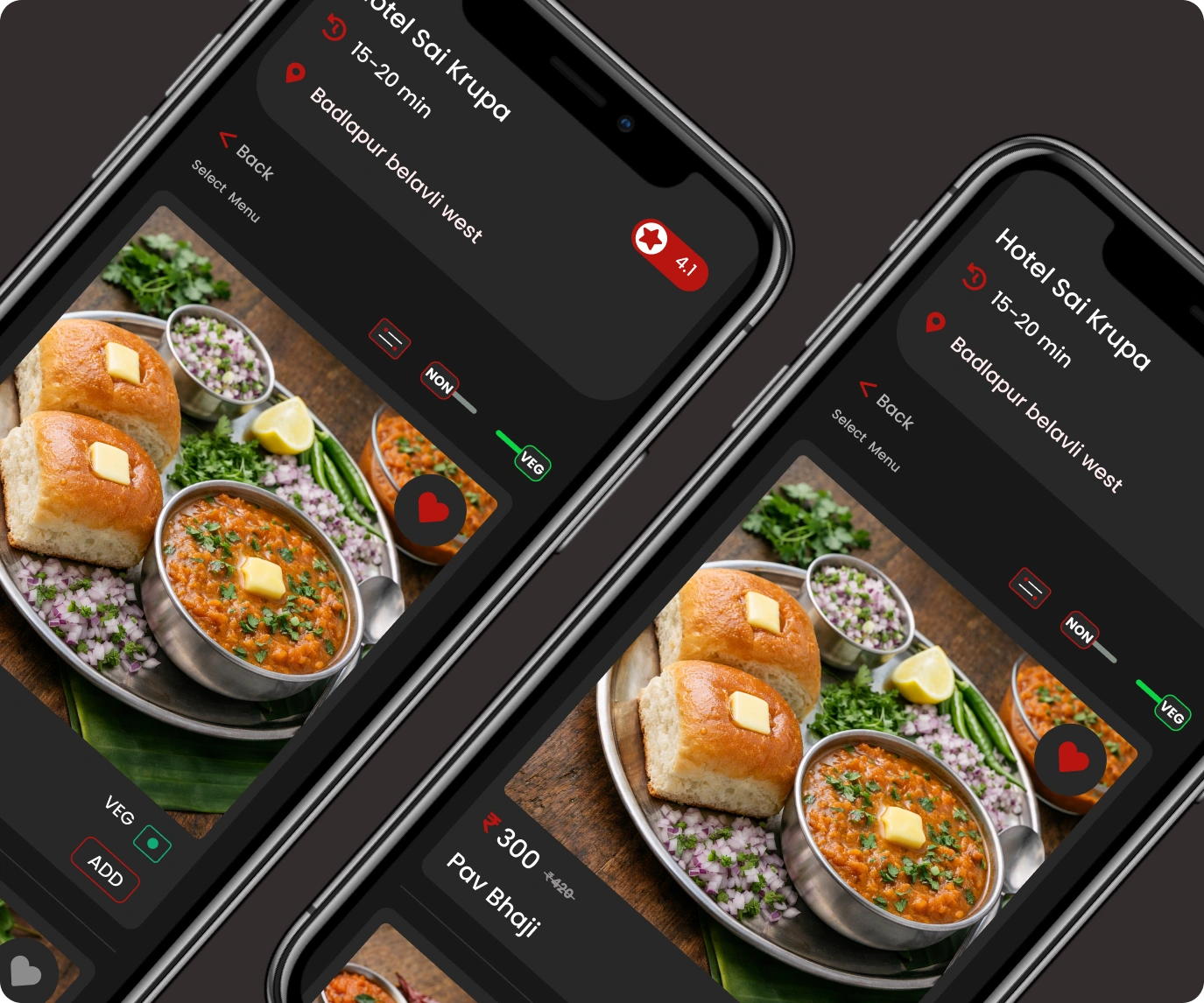
Food Details

The food details page provides all the information users need before placing an order.

Users can explore large food images, restaurant information, delivery time, ratings, food category, pricing, quantity selection, and an easy-to-use Add to Cart button.

Presenting everything on one screen helps users make quick ordering decisions with confidence.

Food Details
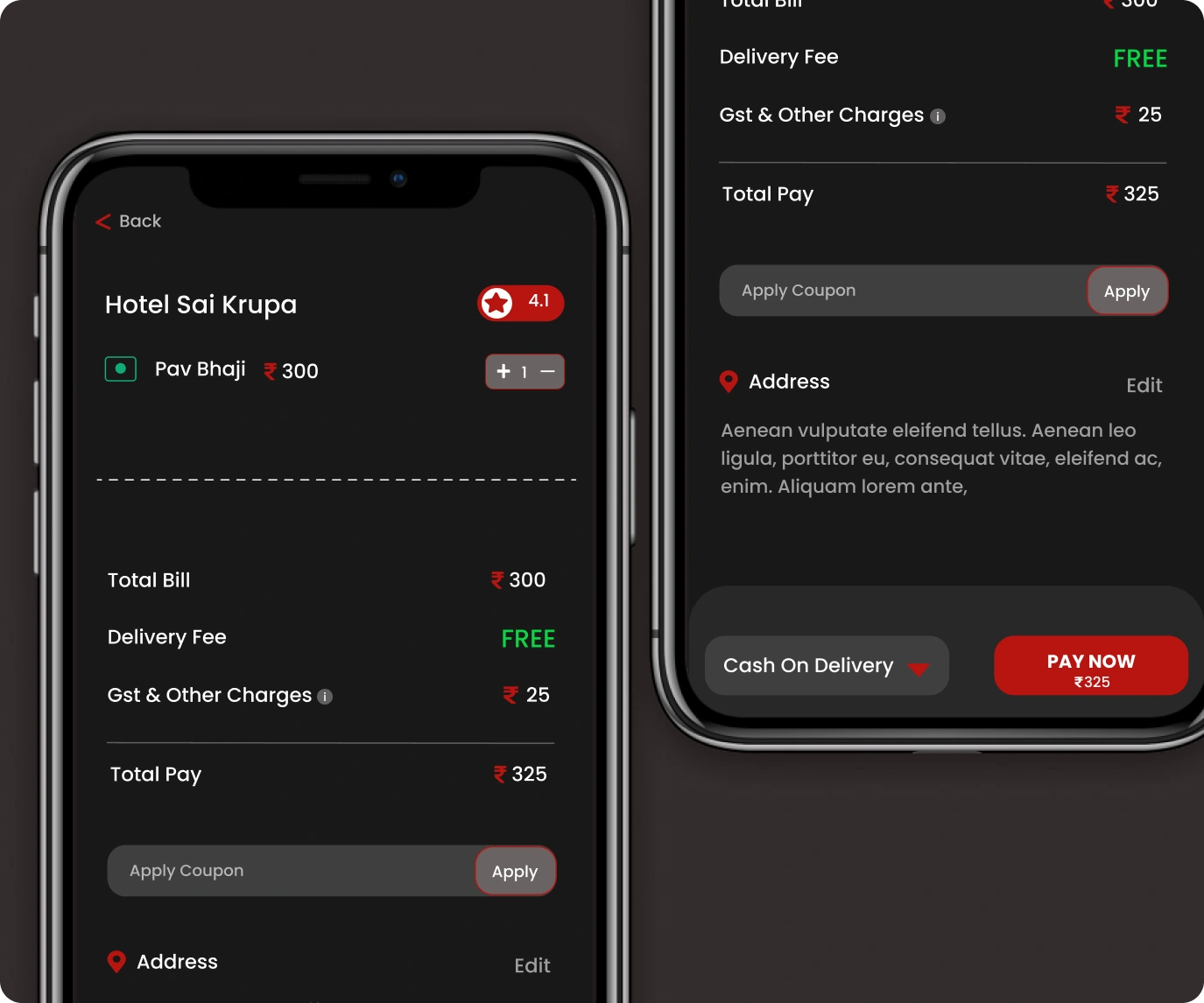
Checkout Experience

Checkout Experience

The checkout screen simplifies the final ordering process by presenting all payment-related information in one place.

Users can review selected items, update quantities, view the bill summary, check delivery charges, apply coupons, confirm the delivery address, choose a payment method, and complete their payment.

Keeping the checkout process simple reduces friction and creates a faster, more enjoyable food ordering experience.

Conversion Strategy

The application is designed to guide users from discovering restaurants to completing their food order through a simple and focused journey.

Large food visuals, restaurant ratings, pricing, delivery information, and prominent Add to Cart and Pay Now call-to-action buttons are arranged in a logical sequence, helping users make quick decisions while reducing friction throughout the ordering process.

This streamlined experience minimizes unnecessary navigation, builds confidence through clear menu information and transparent pricing, and creates a smooth checkout flow that encourages users to complete their orders quickly and effortlessly.

Design Highlights

Modern Interface

Modern food delivery interface.

Food Showcase

Large food showcase.

Smart Search

Smart search experience.

Restaurant Browsing

Browse nearby restaurants.

Food Details

Food detail experience.

Category Filters

Quick category filters.

Quantity Selector

Easy quantity selection.

Simplified Checkout

Fast checkout experience.

Pay Now CTA

Clear payment action.

Mobile-First Design

Optimized mobile experience.

Final Outcome

The final design delivers a clean, modern, and user-friendly food ordering experience that helps users discover restaurants and place orders with confidence.

By combining intuitive navigation, attractive food imagery, organized menu information, simplified checkout, and clear call-to-action buttons, the interface reduces ordering friction and creates a seamless journey from food discovery to payment.

Smile Dental Clinic Website

Website Design
Designed a modern healthcare website for a dental clinic focused on patient engagement, appointment booking, and service presentation.

View Case Study